NexTrip
An AI vehicle HMI system
“Plan your trip while you move.”
- Project type
- HMI System
- Role
- UI/UX Designer
- Team
- 4 people group
- Duration
- 8 Weeks
- Tools
- Figma, Adobe Suite
Background Research
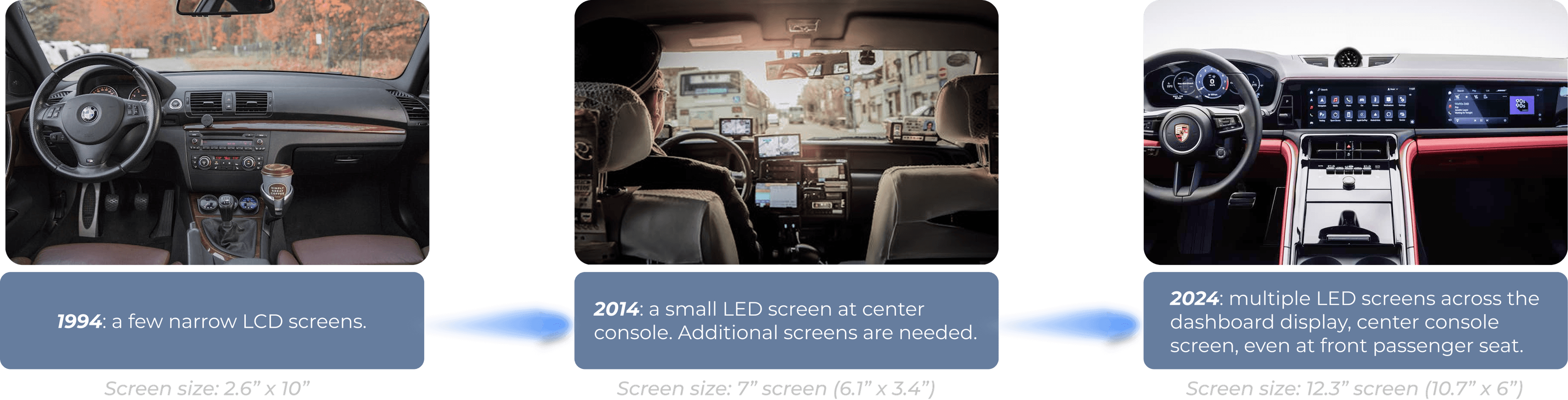
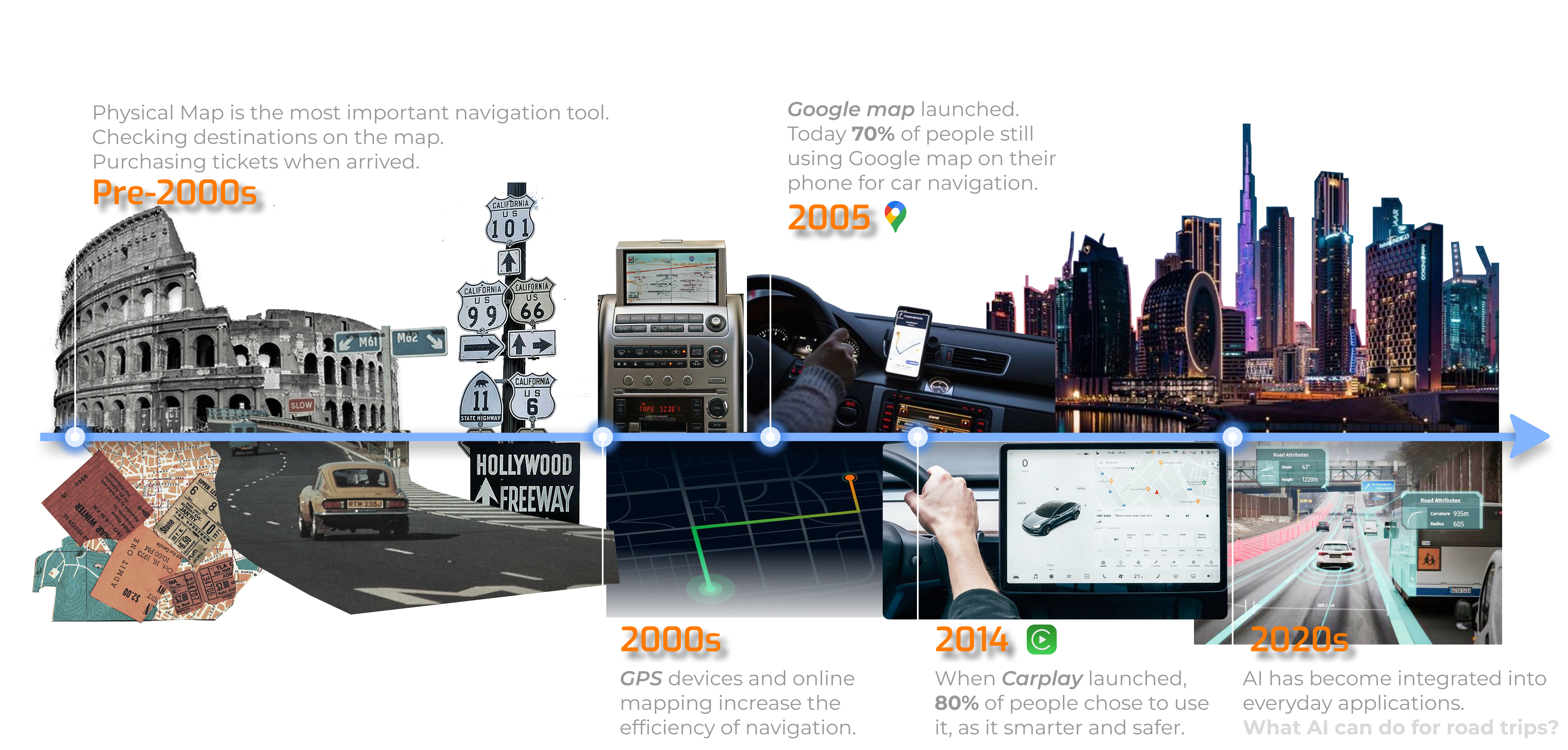
The center console screen has evolved significantly over the past decades, and users' navigation habits are changing along with it.
Market Trends
Conclusion
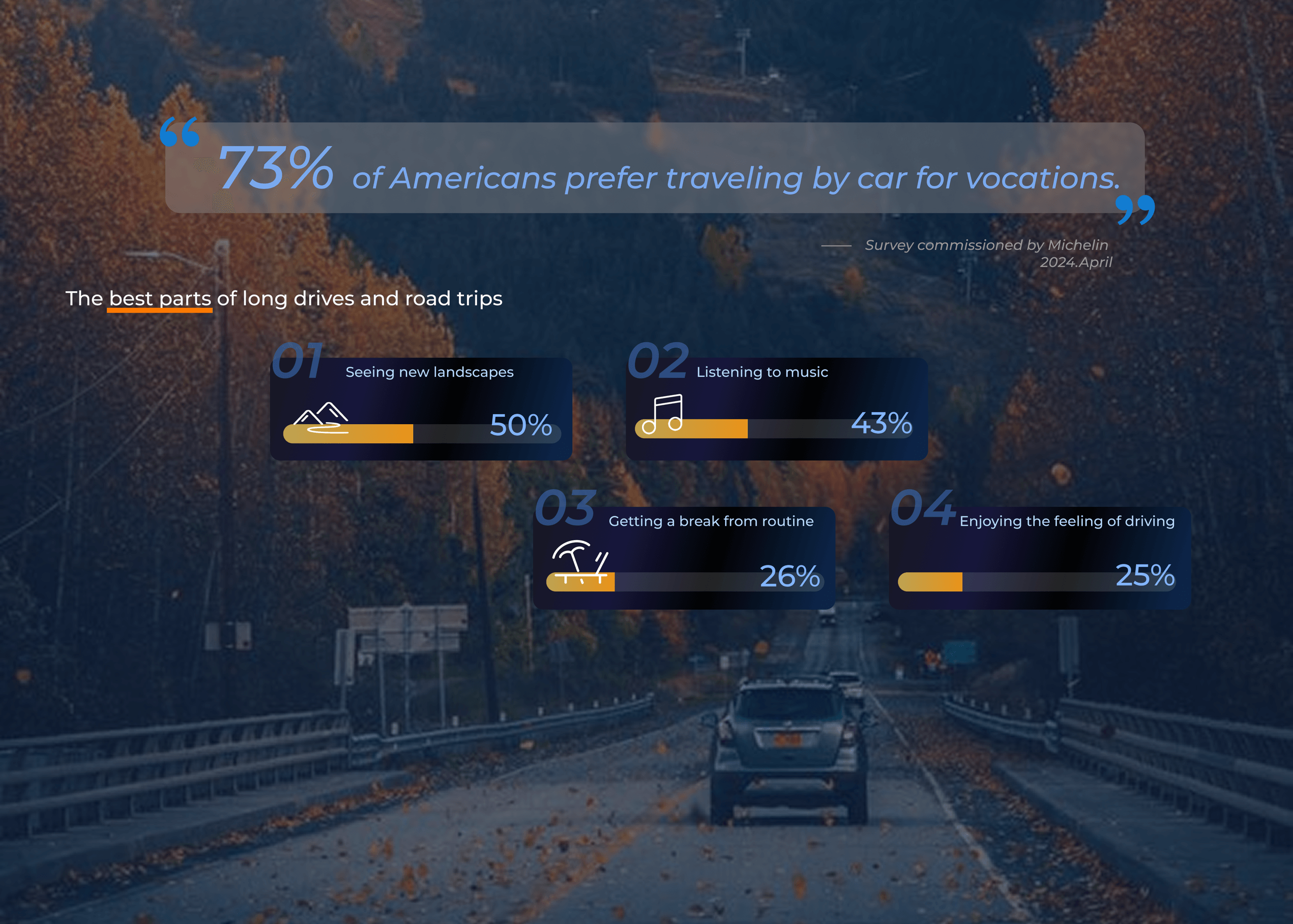
As mentioned before in background research and market trends, people like to have road trips on vacations and they need navigation features through HMI systems.
This motivated us to conduct further user research on what people really need in this experience.
User Interview
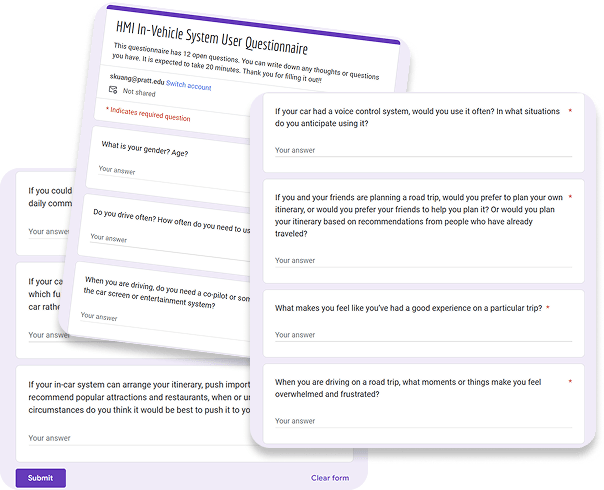
Our team created an interview questionnaire using Google Forms and collected responses from 12 participants aged 22–32, focused on driving preferences and itinerary-planning habits.
User Interview Summary:
- Road trip itinerary is necessary to everyone.
- Drivers prefer use central console rather than phone on the car for navigation for safety.
- The most searched place is gas station.
Persona
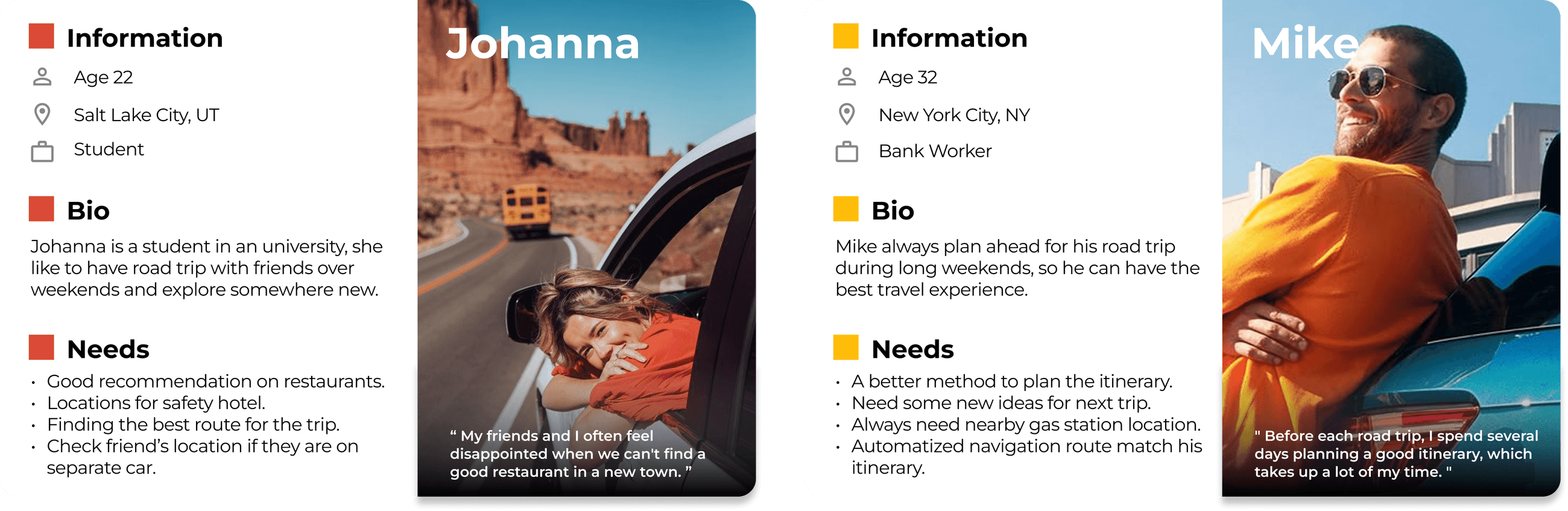
Pain Points

Ideation
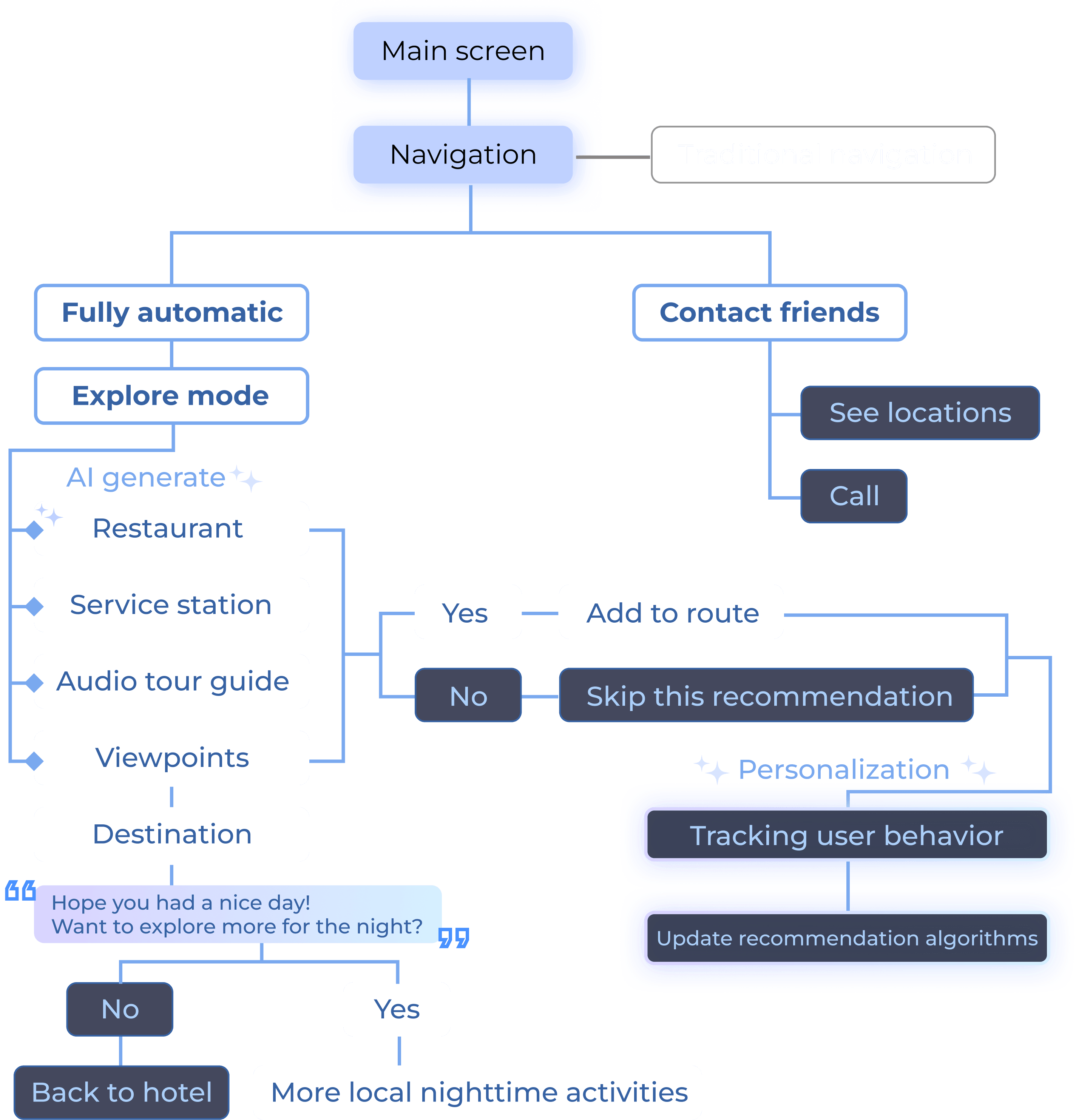
How can the car HMI system facilitate users' road trip experience?
The smart HMI system suggests highly recommended restaurants, viewpoints, and service stations based on the user's travel route, while AI continuously tracks preferences to provide more personalized recommendations over time.
Design Solution
Scenario 1 - Fully automatic trip
Scenario 1.1 - Start the route
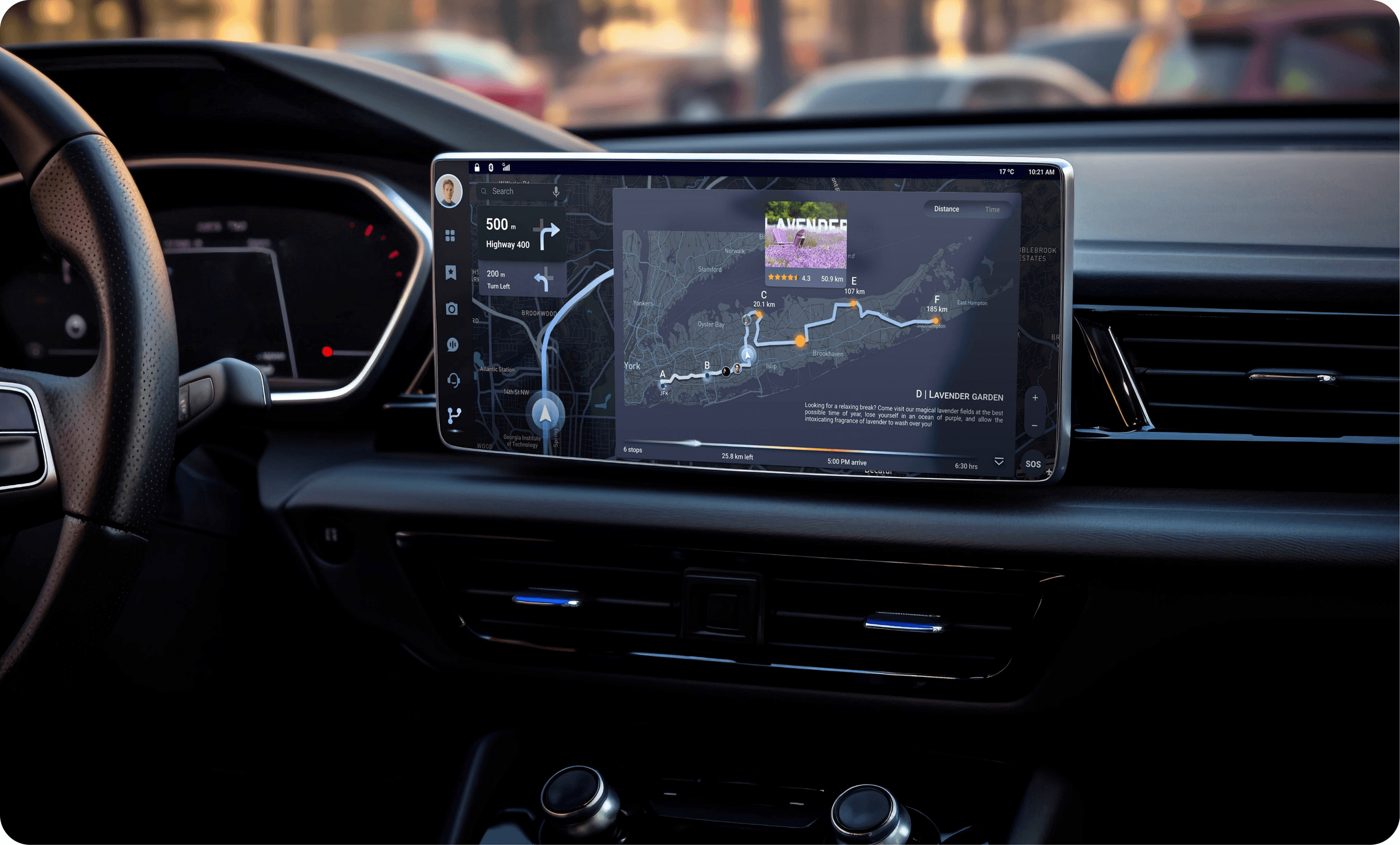
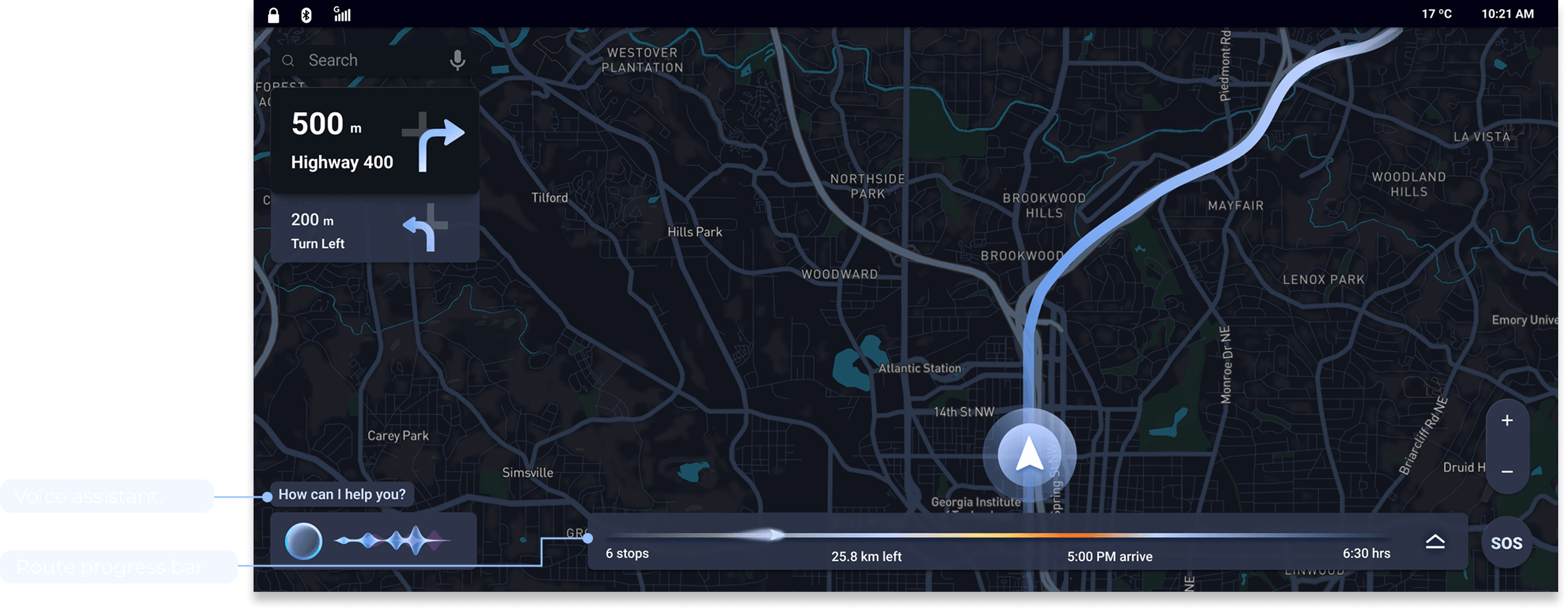
NexTrip starts with a navigation page where users can search or use the voice assistant to set their route, similar to a traditional navigation tool. Alternatively, users can simply input their final destination and let the AI system automatically enrich the journey with recommendations.
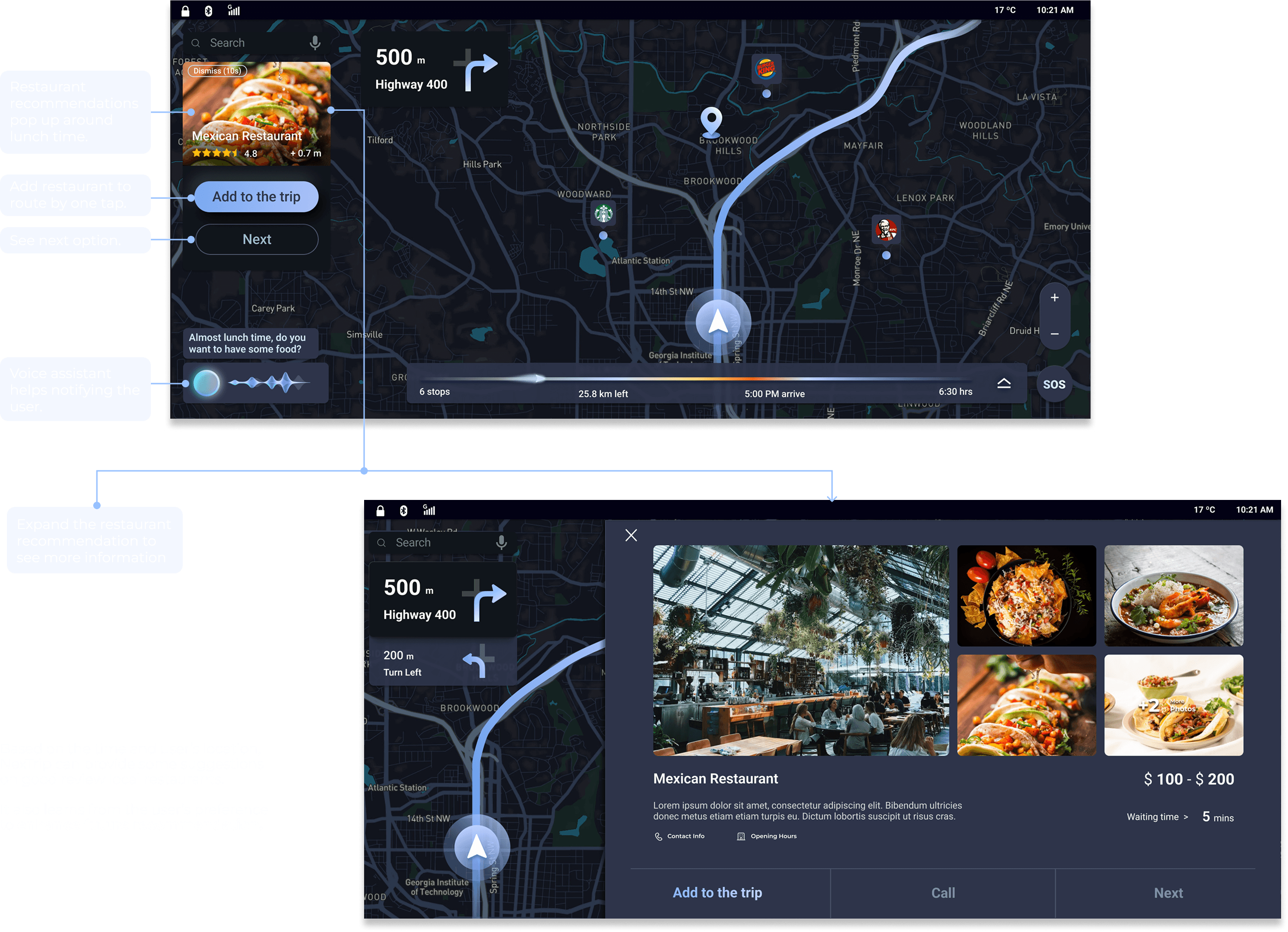
Scenario 1.2 - Restaurant recommendations
Scenario 1.3 - Viewpoint recommendations
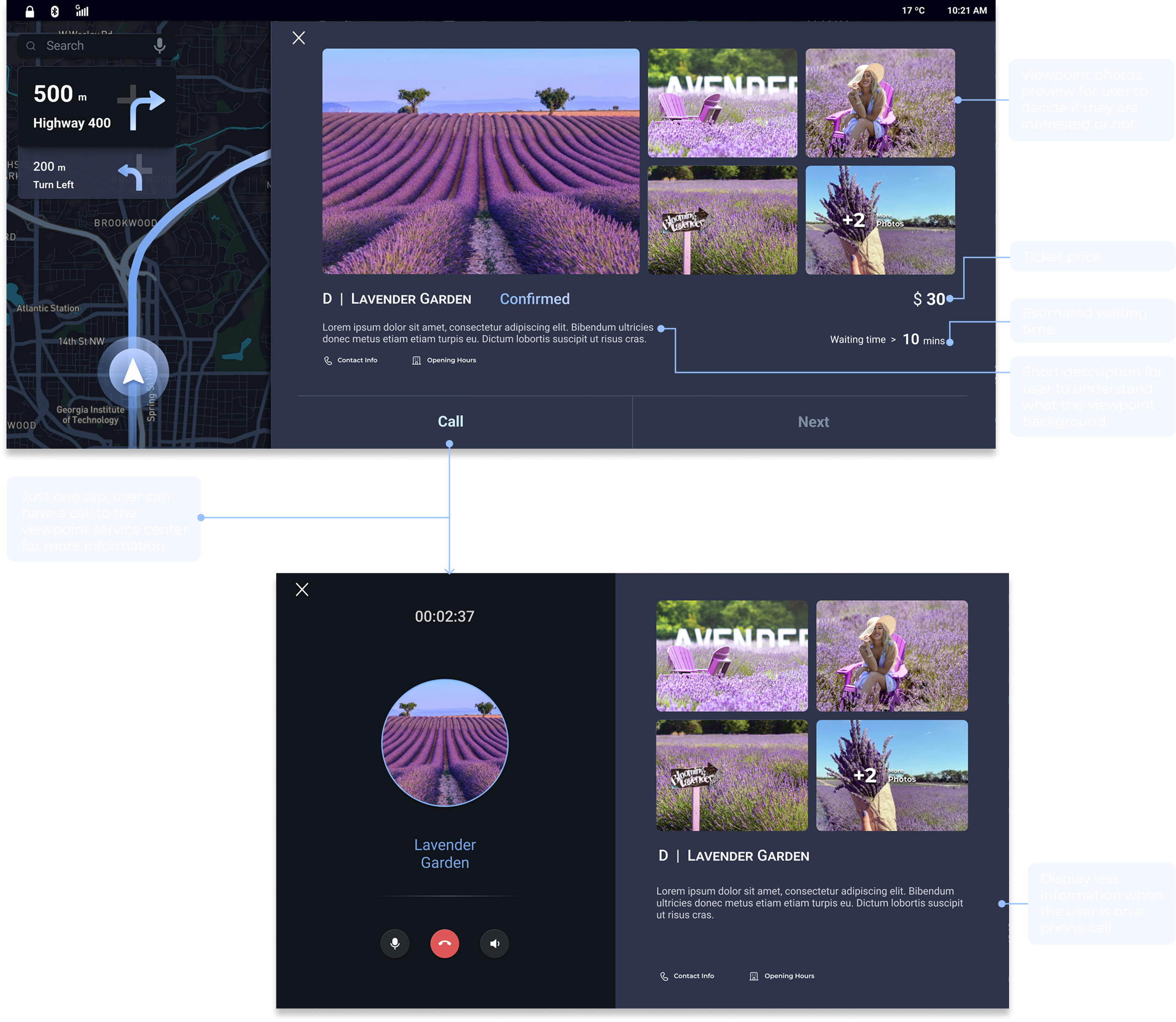
NexTrip saves users time by proactively suggesting scenic viewpoints based on location, route, and online reviews. No need to plan ahead.
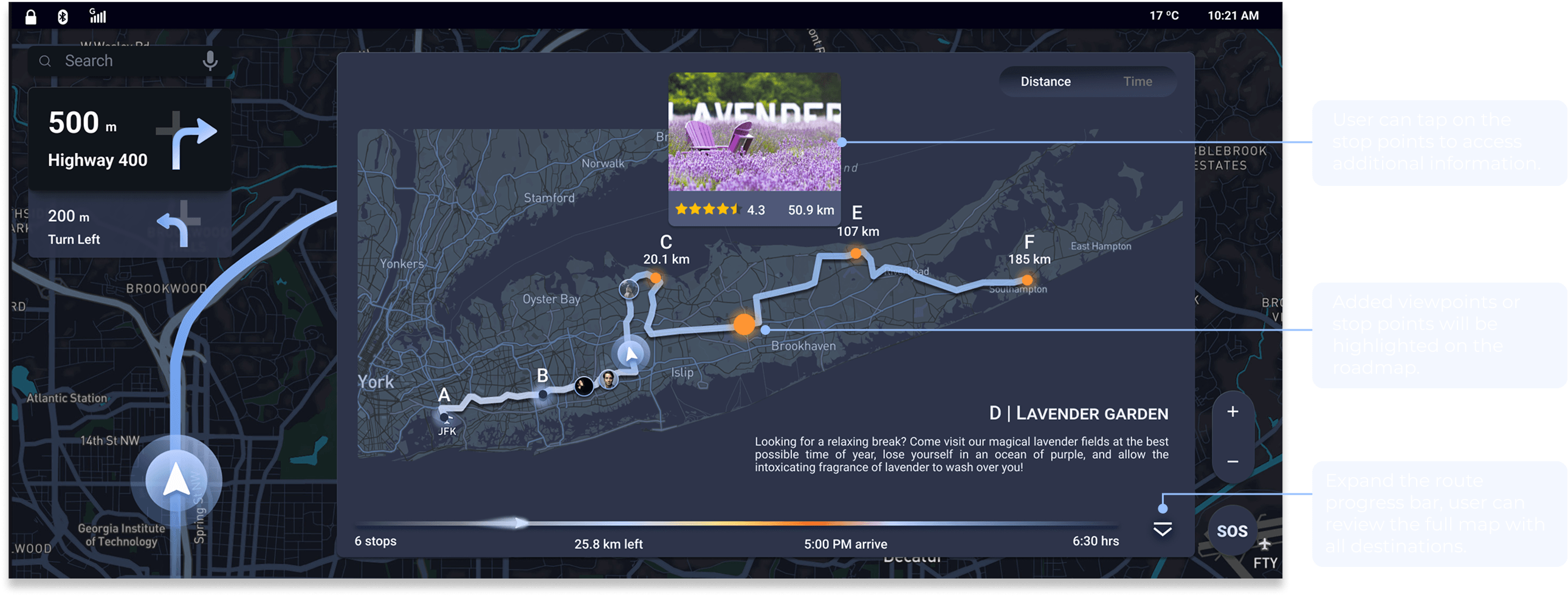
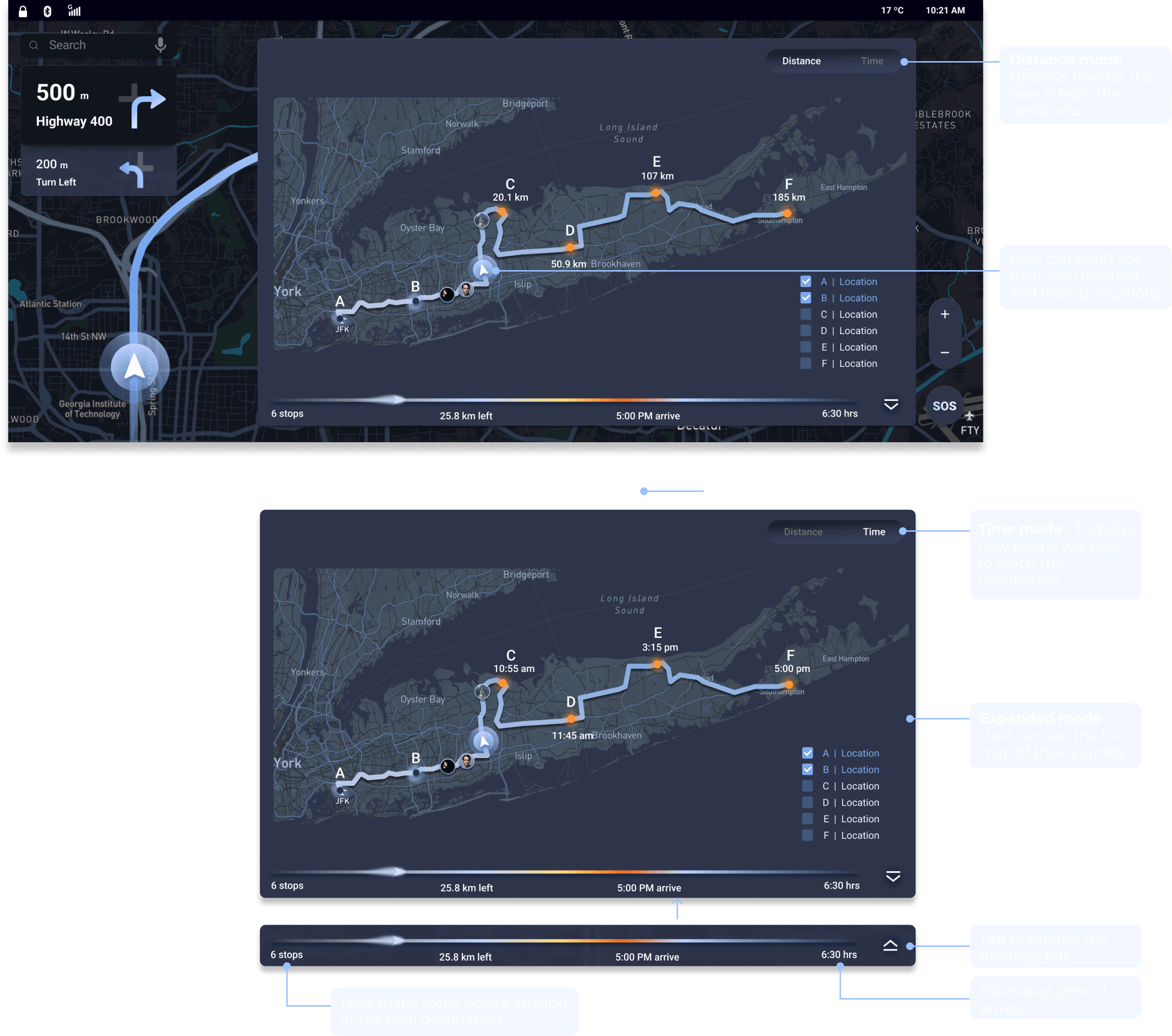
Scenario 1.4 - Check the trip
Scenario 2 - Contact friends
Scenario 2.1 - Check friends' locations
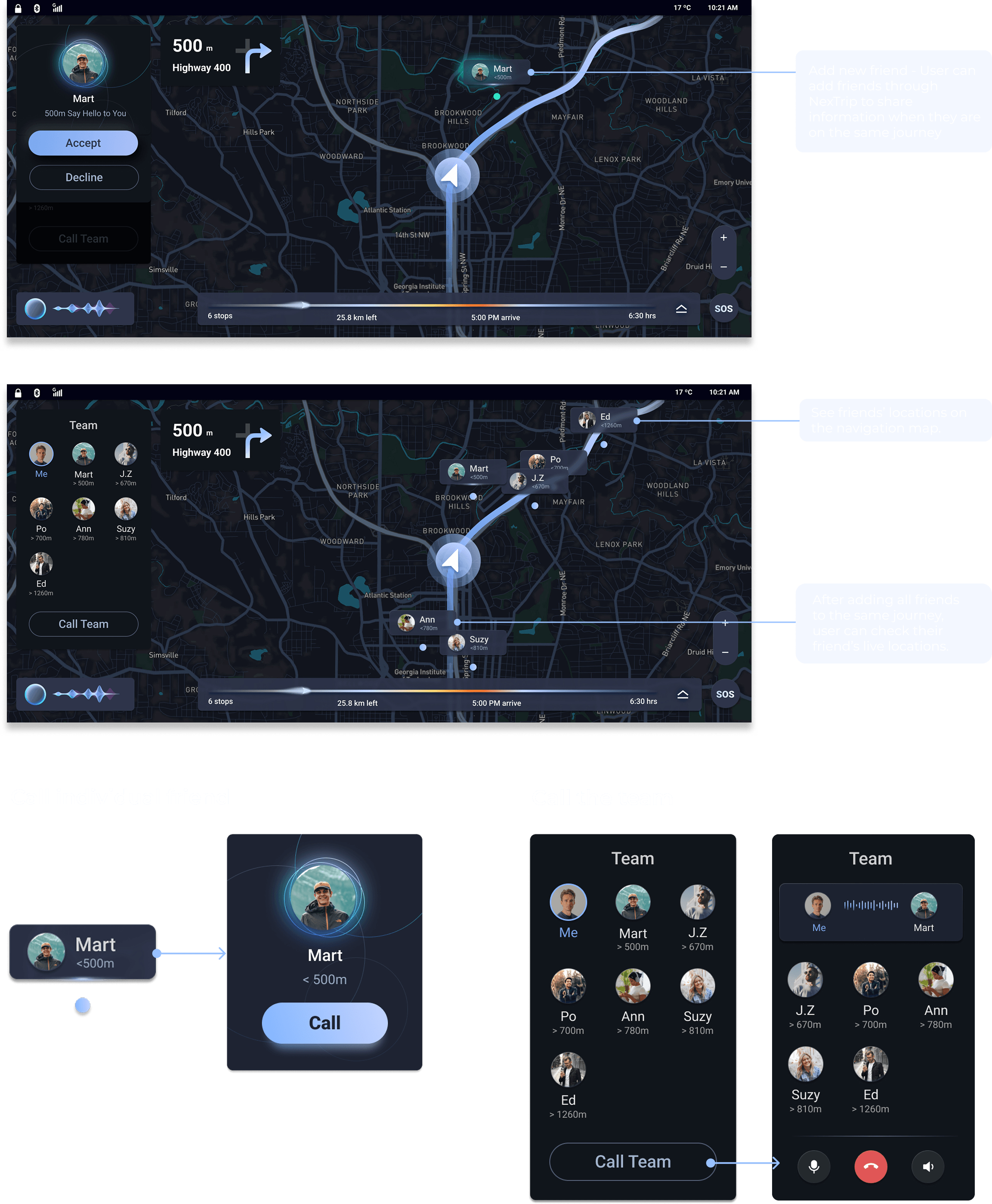
Everyone drives differently, some prioritizing speed and others safety, so staying in sync can be hard. NexTrip lets users track friends' locations at a glance when added to the same route.
Scenario 2.2 - Contact with friends
The most intuitive way to connect while driving is a quick call. A single tap on a friend's location bar starts one instantly.
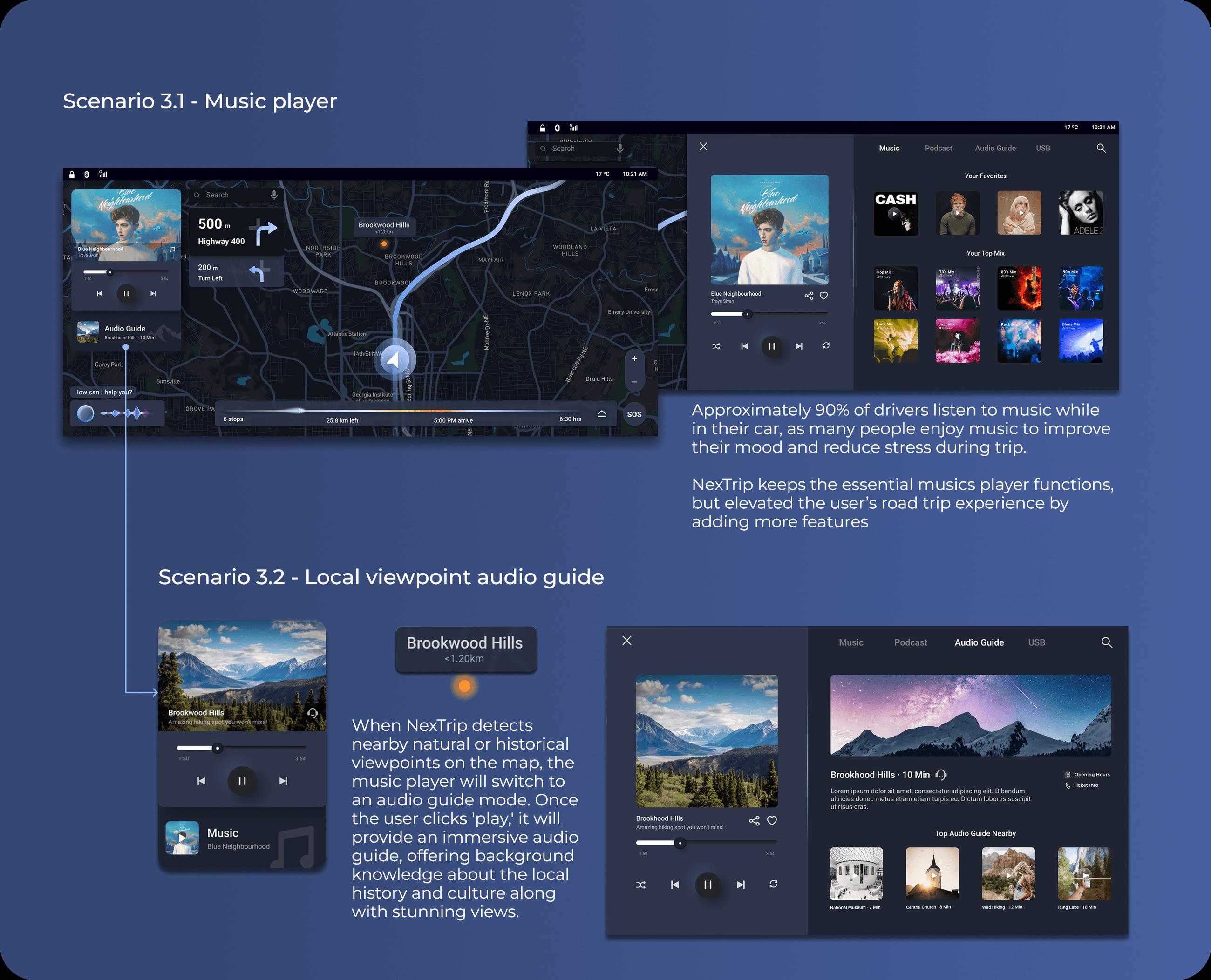
Scenario 3 - Local viewpoint audio guide & music